
Exclusive Offer: Ting Mobile Unlimited Combo
Why Ting Mobile?
With Ting Mobile, you get:
- To bring your own phone and keep your number
- Hotspot use included
- No contracts, no hidden fees. Cancel anytime.
As long as you have a compatible phone, you’re good to go.
📌 Note: International calling and roaming aren’t included in Ting Unlimited Combo.
Signing up for Ting Unlimited Combo
1. Order Ting Internet
- Head to ting.com to create your Ting Internet order.
- Not available at your address yet? Join the waitlist and you’ll still get combo pricing.
- Once you’ve ordered or joined the waitlist, you’re ready for step 2.
- Already a Ting Internet customer? Skip straight to step 2.
2. Go to the Ting Mobile offer page
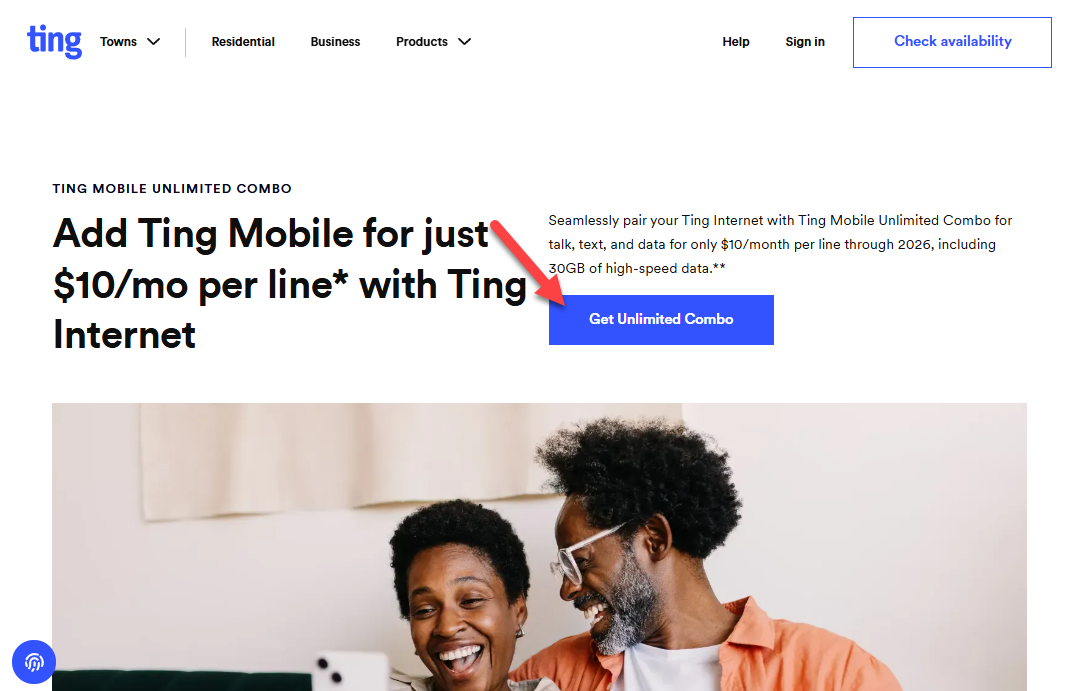
- Visit the Ting Mobile offer page and click Get Unlimited Combo.
3. Verify Your Device Compatibility
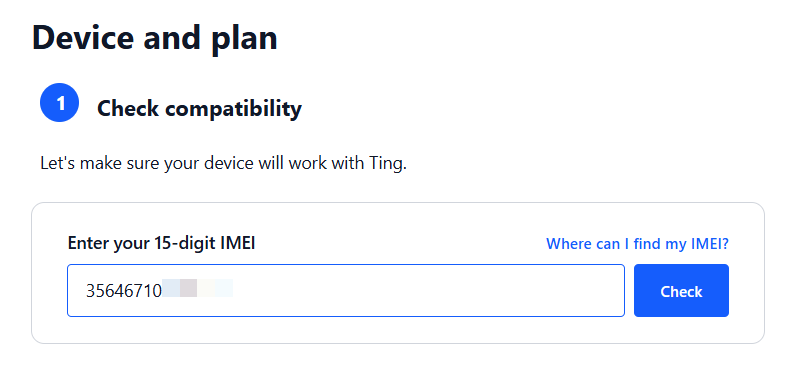
- Make sure your phone is compatible using our device check tool.
- Enter your phone’s IMEI and click Check.
- Need a hand? Call our orders team at 1-855-846-4626.
4. Choose Your SIM Type
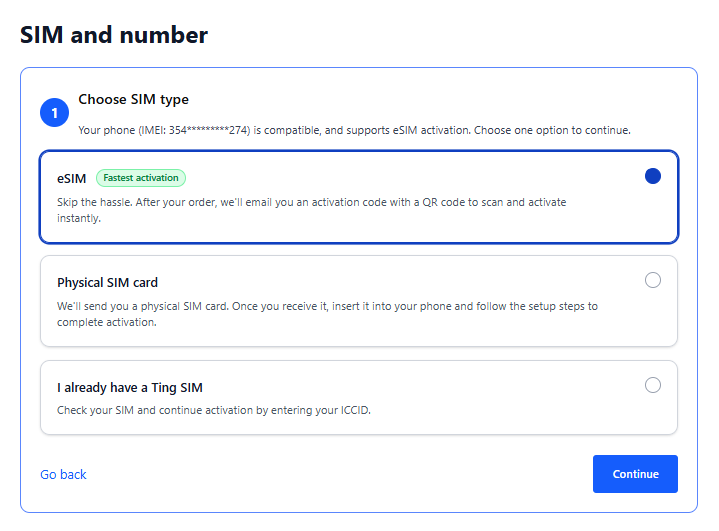
Pick the option that works best for you:
- eSIM: Got a phone that supports eSIM? Choose this and you can activate right from your phone. No waiting on the mail.
- Physical SIM: Prefer a SIM card? Choose this and we’ll order and ship one right to your door.
- I already have a Ting SIM: Already got your Ting SIM card? Choose this and you’re ready to activate.
5. Create your Ting Mobile Account
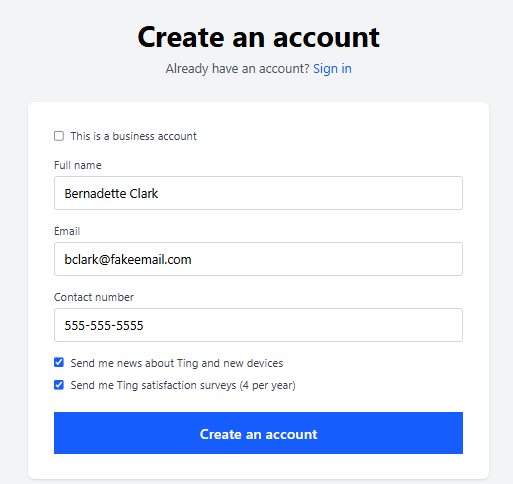
Don't have an account? Click Create an account
- Enter your full name, email, and contact number.
- Select Create an account, and you’re in!
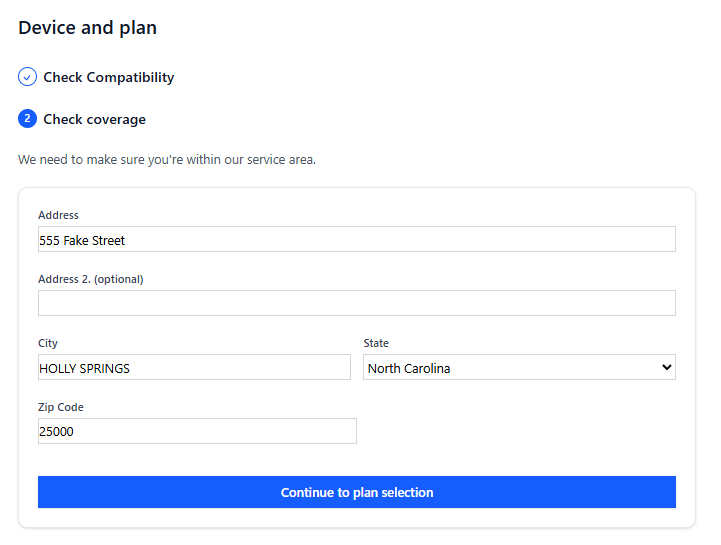
6. Check Coverage
- Enter your address and click Continue to plan selection.
- Have Ting Internet? Use your Ting Internet service address. That’s how we apply your combo pricing.
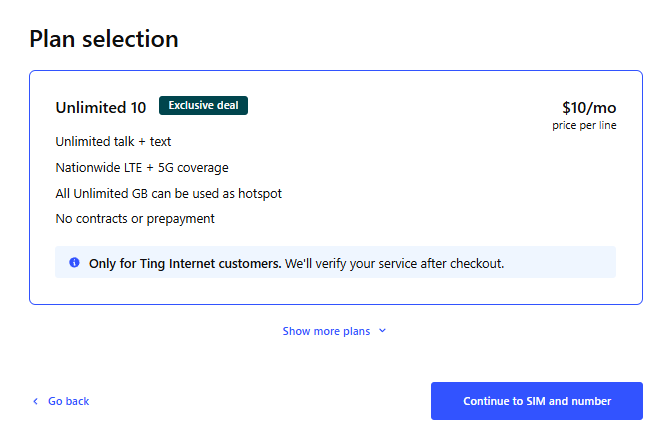
7. Select Your Ting Mobile Unlimited Combo Plan
- Select Unlimited 10.
- Don’t have Ting Internet yet? You’ll see the $25 Unlimited plan instead.
- Expecting the combo plan but seeing $25? Call our orders team at 1-855-846-4626 and we’ll sort it out.
- Click Continue to SIM and Number.
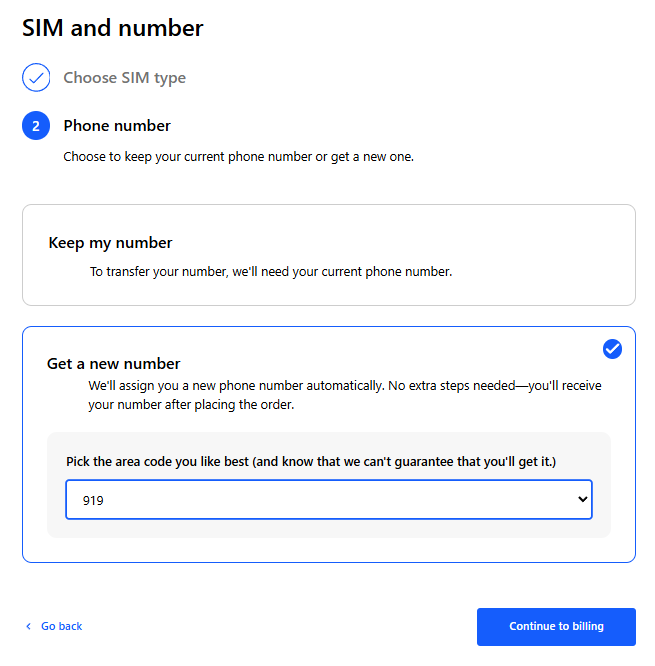
8. Choose Phone Number Preference
Keep your current number
Want to hang on to the number you already have? We’ll bring it over from your current carrier for you.
- Select Keep my number and enter your phone number.
- Have your account number and PIN from your current carrier handy. You’ll need them to finish your order.
- Don’t cancel your service with your current carrier. Your old account will close automatically once your number moves to Ting.
Get a new number
Ready for a fresh start? We’ll give you a new number with an area code based on your service address.
- Select Get a new number.
- If more than one area code is available, pick the one you want. If not, we’ll assign one from what’s available.
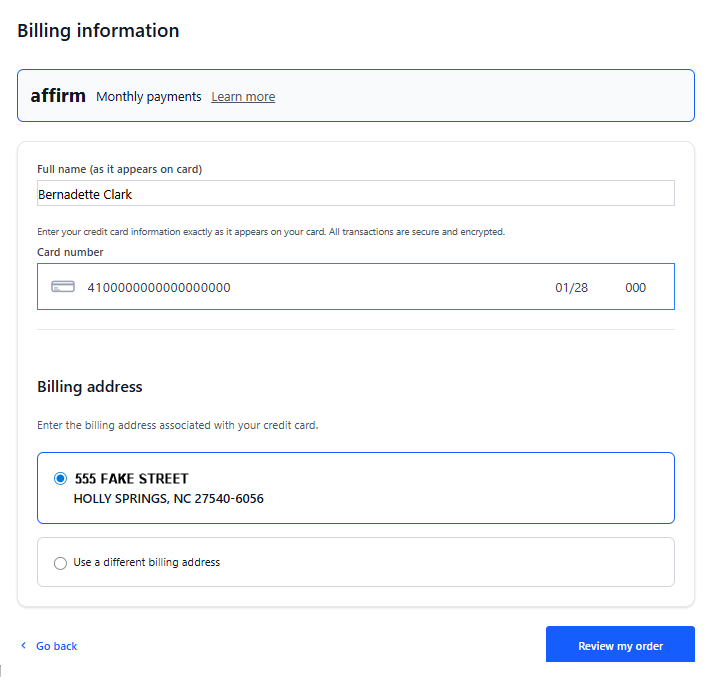
9. Enter Your Billing Information
- Enter your full name, card details, and billing address.
- We’ll automatically charge your card at the end of each billing period.
- Click Review my order.
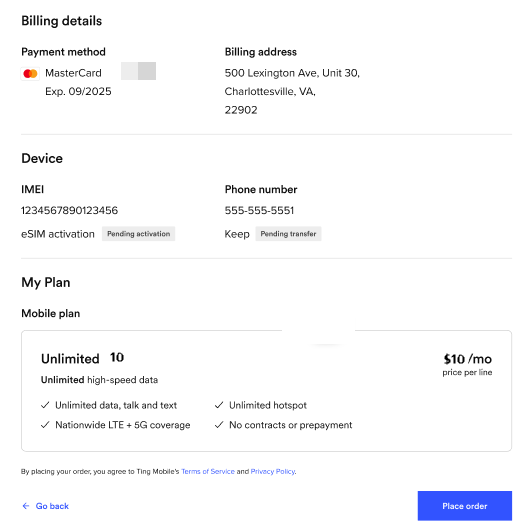
10. Review and Activate Your Device
- Double-check that Unlimited 10 is selected and your device is correct.
- Read and agree to the terms of service.
- Click Activate.
What’s next?
Bringing your number?
- Once your transfer is complete, you’ll get a confirmation email. If all your info is correct, this can take up to 24 hours.
- If anything needs updating, we’ll reach out so you can fix it in your Ting account.
- Once your number has transferred, follow the activation steps below.
- Got questions? Check out our number transfer FAQ.
Activating your SIM?
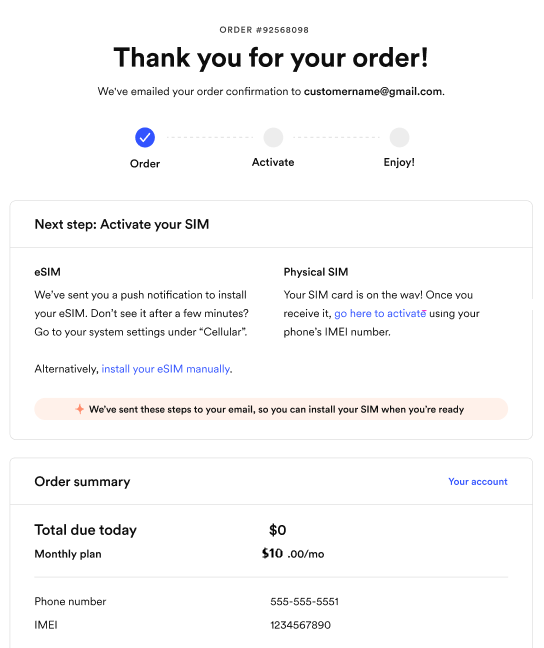
- Physical SIM: Simply, turn your phone off, insert the card, and turn it back on. That’s it!
- Waiting for a SIM: Once your SIM arrives, go through the activation steps on your account.
- eSIM: Your phone may download it automatically. Just restart your phone.
- Don’t see it? Follow the steps in your email to finish setting up your eSIM.
Frequently Asked Questions
Need help?
- Need help ordering Ting Internet or Ting Mobile? Call our orders team at 1-855-846-4626.
- Want the full details? Visit our Ting Mobile Unlimited Combo page.

.svg)
.svg)