
Understanding Ting Whole Home Wi‑Fi
Ready for a Wi‑Fi setup that actually keeps up?
Ting Whole Home Wi‑Fi is powered by your fiber connection and a mesh network of eero devices working together to cover your whole home. No single-router struggles. No dead zones. Just smooth, stable Wi‑Fi that follows you wherever you go (even into that one weird corner where nothing ever worked before, you know the one).
What is Whole Home Wi‑Fi?
Whole Home Wi‑Fi is an optional add‑on to your Ting Internet service that uses eero to create a mesh Wi-Fi system to extend coverage throughout your home.
Mesh systems use multiple access points to provide broader, more consistent wireless coverage than a single router alone. Whole Home Wifi provides:
Ready for Whole Home Wi-Fi ?
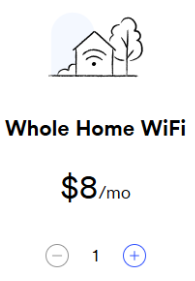
You can add Whole Home Wi‑Fi when you build your Ting Internet plan for just $8/month per eero.
- When placing your order, select the Whole Home Wi-Fi add-on.
- Use the + and - to choose many eeros you want (Most homes need two for full coverage).
- Once you're ready, you can set up your eeros and connect them to your app!
🏡 Ordered and want to add Whole Home Wi-Fi?
Contact us and we’ll get you set up.
What is a mesh router system?
A mesh router system replaces a traditional router by using multiple devices, called nodes or access points that work together to provide seamless Wi‑Fi throughout your home.
We use eero mesh devices to build your network. Each eero connects to the others to form one unified Wi‑Fi system. You’ll only see one network name (SSID), and your devices will automatically connect to the eero with the best signal. No switching, no drop-offs, no juggling between routers and extenders.
Mesh systems are especially useful in:
- Multi-story homes.
- Homes with thick walls or long layouts.
- Households with many connected devices.
- Any space where one central router can’t reach every corner effectively.
Most eero units cover up to 2,000 square feet, depending on layout and materials. Newer models also support Wi‑Fi 7, which enables faster speeds, lower latency, and improved performance when many devices are online.
How does it compare to traditional routers?
A single router sends out Wi‑Fi from one location. The further you get from that spot, the weaker the signal becomes, especially if you have thick walls, multiple floors, or lots of devices competing for bandwidth.
You can try to fix this with Wi‑Fi extenders, but those often create separate networks, require manual switching between connections, and may not solve performance issues fully.
A mesh system is different. With Whole Home Wi‑Fi, the eeros act as a team. They share the load and pass the signal between themselves, so you get more even coverage and a better experience across your entire home. Your devices roam freely on the network without you having to think about it.
Here’s what mesh does better than a traditional router:
- Maintains stronger signals across larger or more c
omplex spaces. - Handles more devices with less interference.
- Creates a single network that adapts to your movement.
- Doesn’t rely on extenders or repeaters to “patch” weak spots.
If you’re noticing buffering, signal drops, or inconsistent speeds in parts of your home, a mesh system is usually a more reliable fix than upgrading your standalone router.
Prefer to bring your own router?
If you’d rather use your own equipment, that’s totally fine. You can Bring Your Own Router or purchase your own eero system from a third-party retailer.
📌 Just a few things to keep in mind:
- We can only offer limited support for third-party devices.
- We can’t access third-party routers directly.
- For advanced issues, you may need to contact the router’s manufacturer.
If you’re comfortable setting up and managing your own network, bringing a router can be a great option. If you prefer a system that’s installed, supported, and managed for you, Whole Home Wi‑Fi might be the way to go.

.svg)
.svg)