
Transferring a number to a new Ting account
Want to sign up with Ting and transfer your number from your current carrier? Awesome, Let's get started.
ℹ️ Existing user looking to transfer your number to Ting? Head over to How to transfer your number to Ting.
What you’ll need
- A Ting SIM card.
- A compatible phone or an eSIM-capable device.
If you're activating a new phone, set up your phone before you begin.
Transferring your phone number
1. Start on Ting.com
- Select Mobile from the drop-down in the top-left corner.
- Scroll down the new page to view our mobile plans.

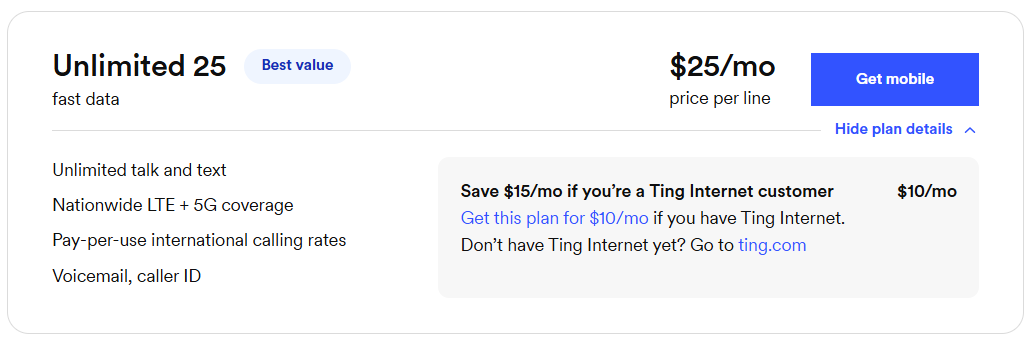
2. Review our plans
- Review the available plans to determine which one works best for you.
- Select Get Mobile.
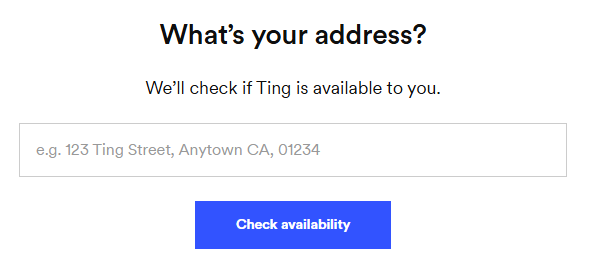
3. Check your address
- In the pop-up, enter your home address to check your coverage.
- Select Check availability.
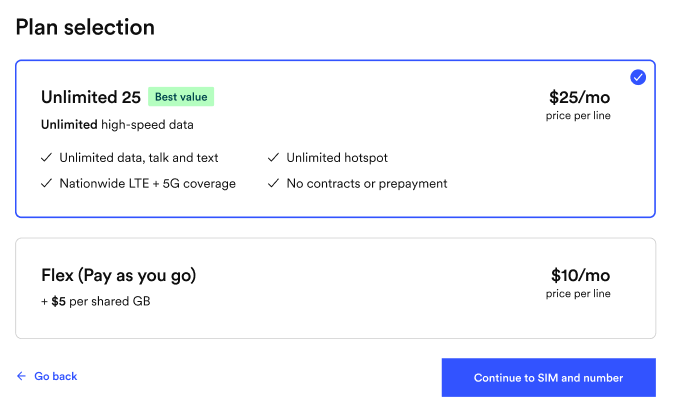
4. Select a plan
- You'll be presented with a list of available plans.
- Review your selected plan and make sure it’s the right fit for you.
- Want more value? Bundle with Ting Internet and get both for just $99/month(Internet $89 + Mobile $10 per line).

5. Check your phone’s compatibility
- Enter your phone’s IMEI if you're bringing a phone. Select Check.
- Need a hand? Find your IMEI.
- Select Continue to move to the next step.

6. Confirm your plan selection
- Select Continue to SIM and number.
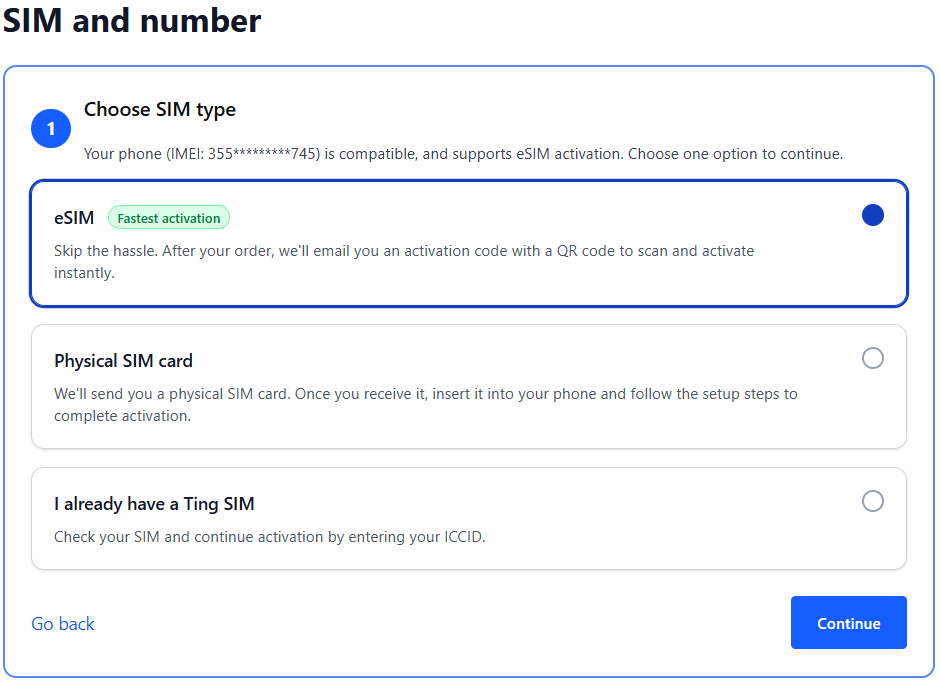
7. Get a SIM or check your SIM card
- If your phone is eSIM compatible, you can select the option for eSIM. We'll send you an email with the details after activation.
- If you prefer using a physical SIM:
- Select Physical SIM card to order a new SIM. We'll mail it to you.
- Already have a Ting SIM? Select I already have a Ting SIM. We'll ask for the SIM number in the next step.
- Select Continue to move to the next step.
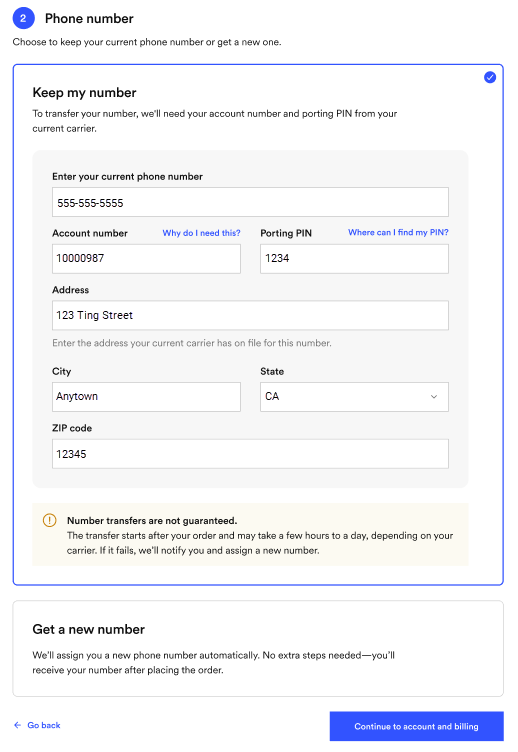
8. Select your number option
- Select Keep my number.
- Enter your current phone number, account number, porting PIN (sometimes called an account PIN) and billing address from your current provider.
- Your number transfer can take up to 24 hours to complete. Your current carrier reviews your details before approving the transfer and releasing your number.
9.Create your account
- Enter your name, email and password.
- Save your login details—you’ll need them to sign in later.

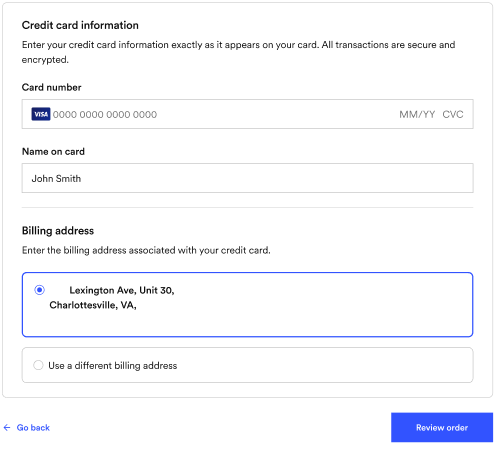
10. Enter your billing information
- This will bet the card we use for automatic payments.
- Once your payment information is entered, click Review order.
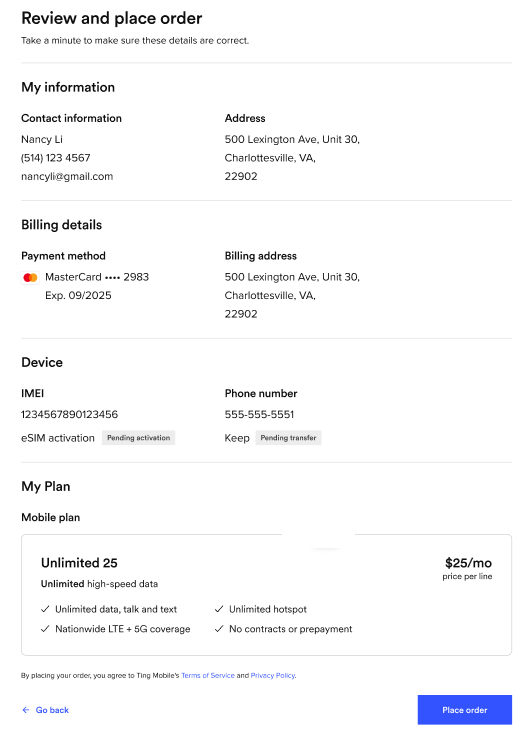
11. Review and confirm
- Double-check your details, agree to the terms of service and click Place order.
- If any of your details need to be changed, select See an error? Go back.
12. Complete your activation
- Once your transfer is complete, you’ll get a confirmation email. This can take up to 24 hours if all your information is correct.
- If there’s an issue with your details, we’ll reach out so you can update them in your Ting account.
- Looking for more info? Check out our number transfer FAQ.
Once your number has transferred to Ting you can compete the activation by following the steps below:
- Activating a physical SIM? Simply turn your phone off, insert your SIM card and turn it back on to complete activation.
- Using eSIM? Your phone may automatically download it for you. Just turn your phone off and on.
- Don’t see it? Follow the steps in your email to finish activating your eSIM.

.svg)
.svg)